Home
Oracle
CPQ


Log in
Forgot password?
    
 
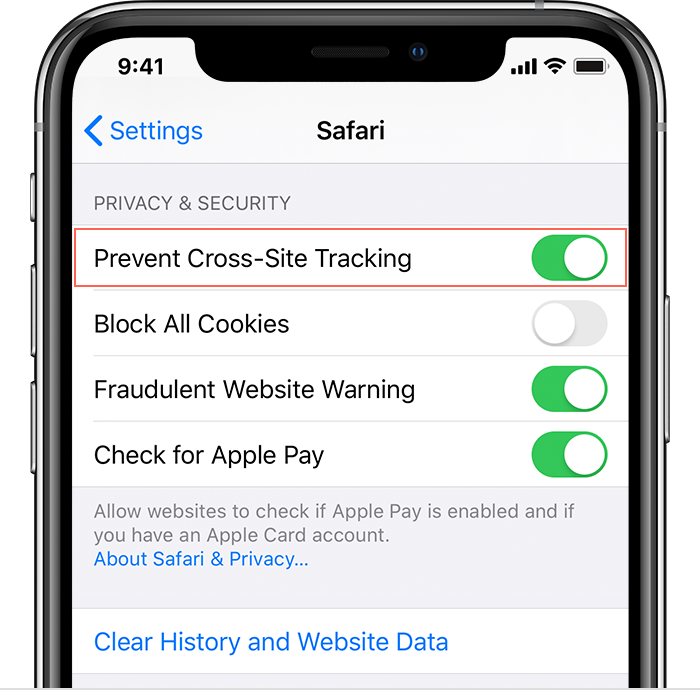
Oops! It seems like your iOS device is not enabled to prevent Cross-Site Tracking. The Configurator needs this option enabled to function as desired.
Please follow the below steps to prevent Cross-Site Tracking on your iOS device:
  1. Open "Settings"
  2. Select "Safari"
  3. Scroll down to "Privacy & Security"
  4. Turn on "Prevent Cross-Site Tracking"
Close